
Migrating a Project to the Global Libraries in Archicad 29
This video covers the process of migrating a project from the pre-Archicad 28 Libraries to the Global Libraries. I don’t recommend doing this.

This video covers the process of migrating a project from the pre-Archicad 28 Libraries to the Global Libraries. I don’t recommend doing this.

I’ve made revisions to my Archicad 29 template. Which of course means it’s now better than ever (and has a tree schedule!). Check it out.

The Shoegnome Open Template v29 for Archicad 29 is ready. Read about all the improvements and download it today.

In this video I explore all the custom Objects in the Shoegnome Open Template for Archicad.

Do you know how to set a Library localization for an Archicad file? That’s something I did in this template update.

I’ve updated the Shoegnome Open Template v28.1 for Archicad 28.

The Shoegnome Open Template v28 for Archicad 28. Watch the video to learn about the changes then download the template today.
I’ve updated the Shoegnome Open Template v27.3 for Archicad 27.

I’ve updated both the Shoegnome Open Template v27.2 for Archicad 27 and my Shoegnome Work Environment for Archicad 27.

I just got back from Archicad by the Beach 2023 and collected a handful of minor updates to my template.

The Shoegnome Open Template v27 for Archicad 27 is ready for you. I’ve also updated the Shoegnome Open Template v26.4 for Archicad 26.
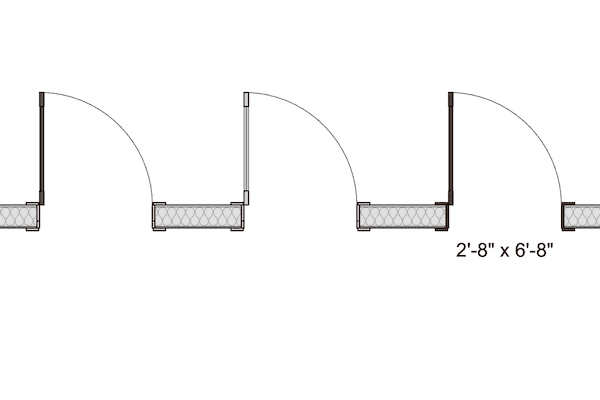
In this small update to my Shoegnome Open Template for Archicad 26, I fix a long standing graphic issue with existing door leaf display.
It’s time for another big update to my Shoegnome Open Template for Archicad 26. Read on to learn about out all the changes and improvements.

Nothing major, but since I’m updating the Shoegnome Open Template v26.21 for Archicad 26 for myself, everyone might as well benefit.

Check out the improvements I’ve made to the Shoegnome Open Template v26.2 for Archicad 26

Check out the improvements I’ve made to the Shoegnome Open Template v26.1 for Archicad 26

This video covers the basics of the Shoegnome Open Template for Archicad. From how to start using it to what it includes.

The Shoegnome Open Template v26 for Archicad 26 is ready for you. I’ve also updated the Shoegnome Open Template v25.4 for Archicad 25.

Before I start a bunch of new projects, I took a moment to update the Shoegnome Open Template for Archicad 25.

I’ve updated my template to go along with the recently released Archicad 25 update 2. Check out the latest improvements.

You can’t use Archicad without a good template. Well you can, but that’s a bad idea. Fortunately, the Shoegnome Open Template v25 is ready for Archicad 25. Download it now.

The Shoegnome Open Template v24.3 for Archicad 24 is ready for download!

The Shoegnome Open Template v24.2 for Archicad 24 has more Favorites, three new Objects, and a lot of other improvements.

There are a lot of great improvements to the Shoegnome Open Template v24.1 for Archicad 24

The Shoegnome Open Template v24 for Archicad 24 is now available. Learn about the latest changes to my template and then download it.

In addition to updating the Shoegnome Open Template, I’ve also recorded a video discussing various Archicad modeling tips.

After completing a project with my ARCHICAD 23 template, I made a bunch of revisions and improvements.

I have an update to my template AND beautiful 8 oz tumblers for you.

What do you do when you want to add Attributes and Favorites from one ARCHICAD file to another?

Learn about the first major update to my template for ARCHICAD 23.

I’m often asked how to import a template or Work Environment into ARCHICAD. Here’s how.

The seventh iteration of the Shoegnome Open Template for ARCHICAD is now available. Learn about the latest changes to my template and then download it.

Check out the latest version of my ARCHICAD 22 template.

The sixth iteration of the Shoegnome Open Template for ARCHICAD is now available. Learn about the latest changes to my template and then download it.


I’ve corrected errors, added more Favorites, updated how I manage Building Materials and Surfaces, and more.

The fifth iteration of the Shoegnome Open Template for ARCHICAD is now available. Learn about the latest changes to my template and then download it.

With the latest update to ARCHICAD 20, we can now turn color and shadows on/off with Graphic Overrides in any ARCHICAD elevation.

I’ve updated the Shoegnome Open Template for ARCHICAD 20 with lessons learned from a recent project. Read about the details and download the latest version.

The Shoegnome Open Template for ARCHICAD 20 is ready for you to download and use. Read this post and watch the accompanying video to learn what’s new.

The Shoegnome Open Template for ARCHICAD 19 is finally here. Go get it!

I regularly get asked if there is a metric version of the Shoegnome Open Template-or if I have any plans to make one. I won’t be making one, but you can do it. Here’s how.

I’ve updated my Template again. Read the post to find out all the details, then download it and some ArchiCAD 18 Libraries .

I’ve made some additional improvements to my ArchiCAD template. I think you’ll like them, even if you just take the ideas and implement them elsewhere.

In addition to releasing the latest version of my Shoegnome Open Template, I’ve also recorded an ArchiCAD Rendering Tutorial video.

Did you enjoy my ArchiCAD 17 template, but have yet to upgrade to ArchiCAD 18? Well now you can check out my ArchiCAD 18 template in ArchiCAD 17 because we use a BIM program that can easily save down to a previous version.

Did you like my template for ArchiCAD 17? Well I have finally gotten around to updating the Shoegnome Open Template for ArchiCAD 18. Enjoy!

Parameter Transfer in ArchiCAD (eyedropper and syringe) is an ultra basic concept. I really hope you already know everything I discuss in this video.

Do you need a template for ArchiCAD? Why not try using mine. Welcome to the Shoegnome Open Template version 17.1.