
IGNITE — Graphisoft Global Virtual Event 2026 will be held on October 13th, 2026. You can and should register to attend (click here). What’s the event about and why should you register? It’s an opportunity to hear about both the latest Graphisoft products, and get a sense of where the company is going in the future.
Now you might be thinking. “Meh. Why should I learn about Archicad 30? I’m still on Archicad 27.” or “I’m going to stick with Archicad 29. I can learn about what’s new in six months.” or “I’ve heard what’s coming already, I don’t care.”
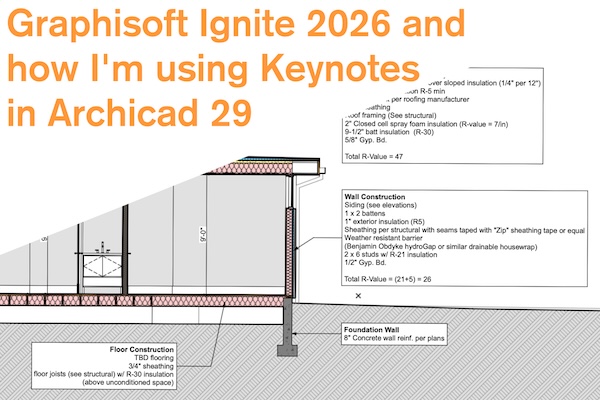
Well to that I say Keynotes were released two years ago, in Archicad 28 and I’m still figuring out how best to integrate them into my workflow. That might feel like a bit of a non-sequitur, but it’s not. New features take time to learn. And it’s not always apparent what new features actually matter. Something that initially feels big might be kind of useless: Revision Management has been around for years and still I just use the Change tool for dumb clouds and revision numbering. And sometimes little things are quite transformative: being able to create Openings in Sections and Elevations (Archicad 29 improvement) is super handy. More often though, the utility of the latest version of Archicad takes time to digest. Keynotes, as I’ve already mentioned, are the perfect example of this. They arrived in Archicad 28, and I’m not using them correctly, or to their fullest. But I’ve come up with some really useful ways of implementing them.
So register for IGNITE to learn about things that’ll take years for you to fully utilize, then what my video below on how I’m using Keynotes. SPOILERS: it’s not for traditional keynotes. Oh and if you’re reading this after October 13th, 2026, watch out for the next Graphisoft Event promoting the latest and greatest. It’s never too early to start learning about the future.
Thanks to Graphisoft for sponsoring this video.
Follow Shoegnome on Facebook, Instagram, and Youtube.
Do you use Archicad? Check out the Shoegnome Open Template for Archicad.
2 thoughts on “Graphisoft Ignite 2026 and how I’m using Keynotes in Archicad 29”
Looking forward to watching this — I’ve been using Keynotes since v27 but never tried linking them to schedules for QA reviews. Quick question: does that live link actually survive when you publish the PLN to a team member who is still on Archicad 28?
I have not tested it, but I don’t know of any changes with keynotes between 28 and 29 that would break them when saving down from Archicad 29 to Archicad 28.