

Archicad in Your Pocket Challenge Videos
Graphisoft is doing an community challenge through the end of November 2024: Archicad In Your Pocket.
Graphisoft is doing an community challenge through the end of November 2024: Archicad In Your Pocket.
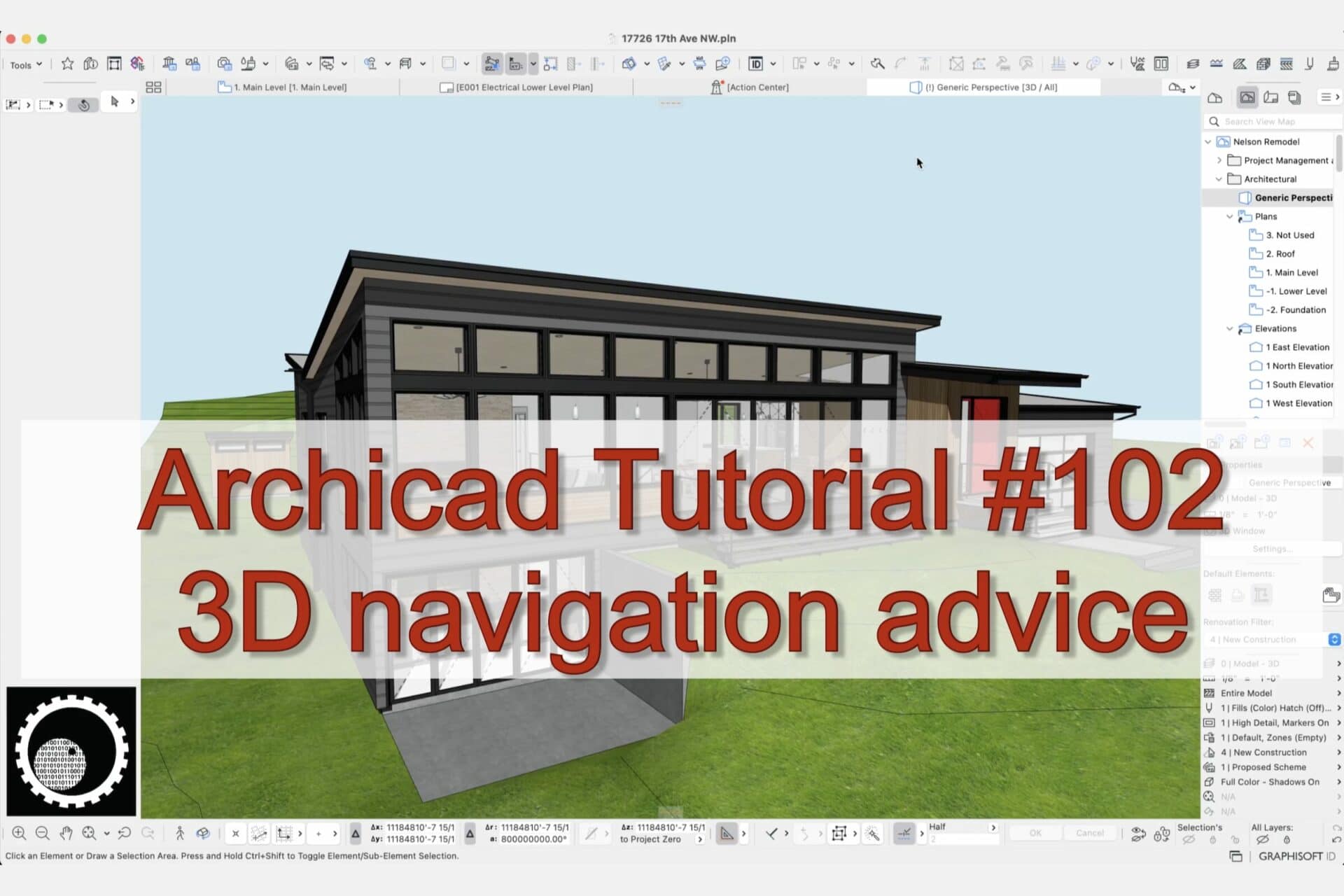
Being able to navigate the 3D window in Archicad is super basic, but also extremely important.
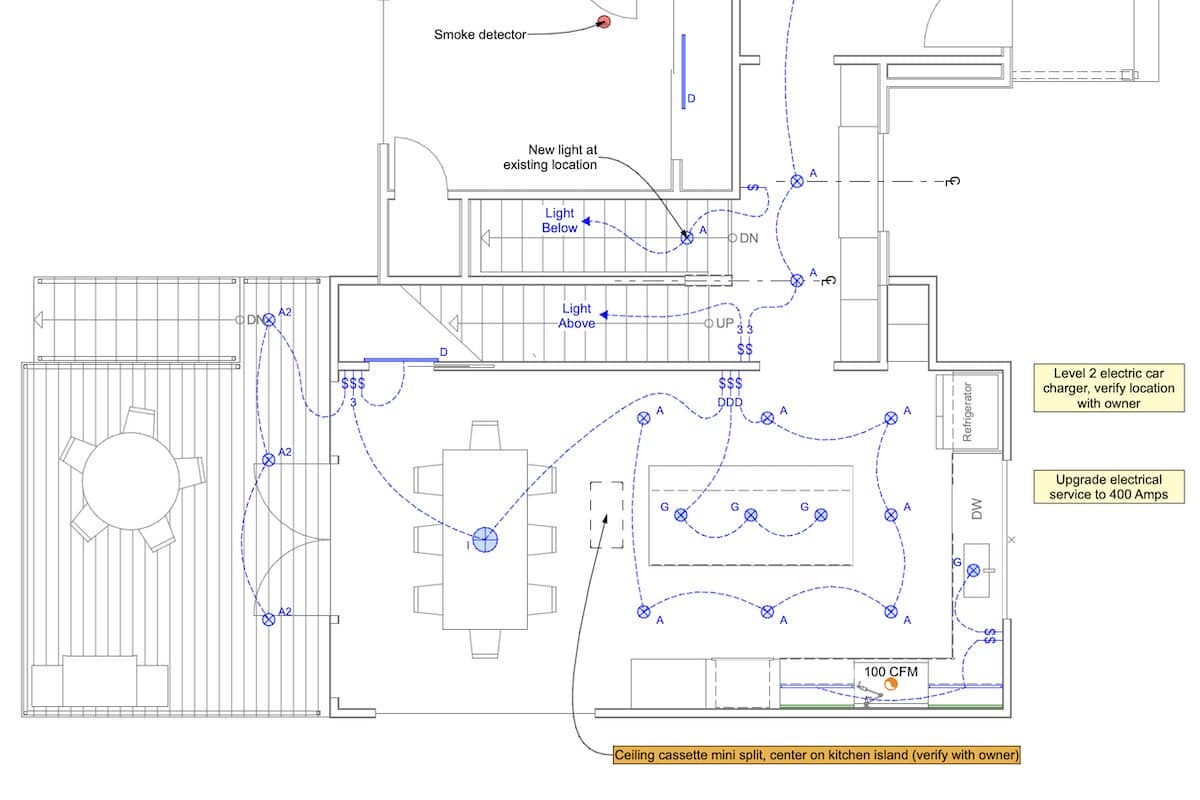
Graphic Overrides are one of my favorite Archicad features. Check out this video and see how I use them to create beautiful electrical plans.
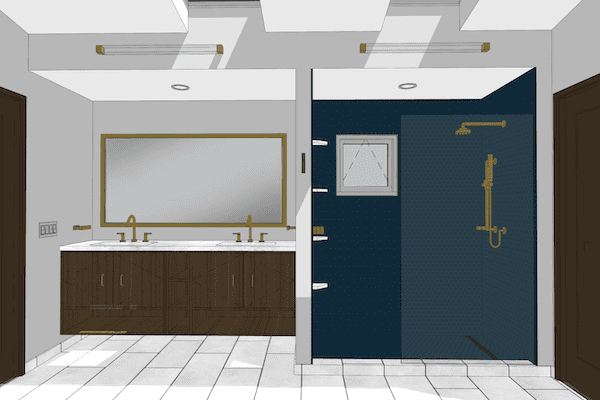
The Mesh tool is great for modeling shower floors in Archicad (or any other floor/roof condition with a flat bottom and a sloped top).
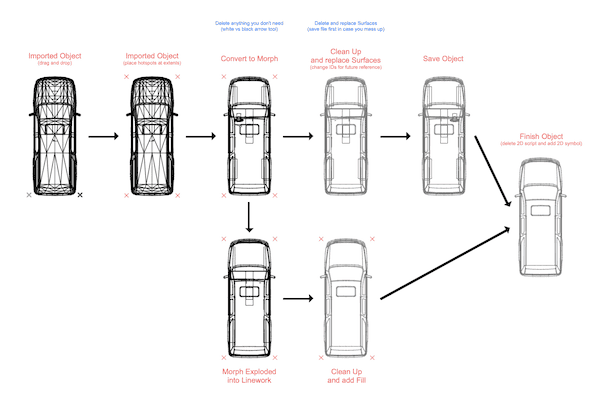
Cleaning up imported Objects in Archicad is fairly easy. Just follow these steps.
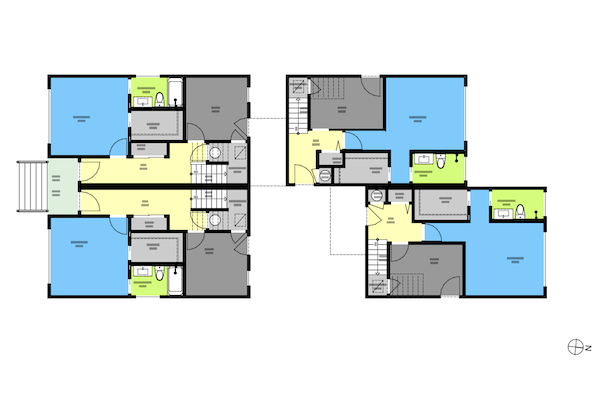
More proof that Quantity take-offs in Archicad are surprisingly easy…if you have a good model built from a good template. Let’s calculate total square footage of gyp. bd. and/or paint.
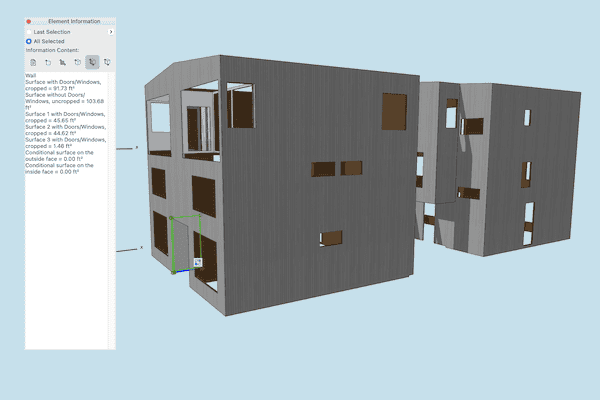
In this video I share how to create quick area calculations for siding and flooring in Archicad. Quantity take-offs in Archicad are way easier than you think.
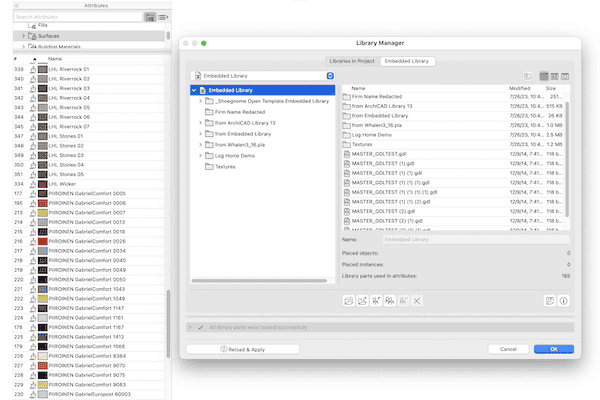
In this Archicad tutorial video I talk about copying between different templates, moving objects between files, and the horrors of Master_GDL Objects.
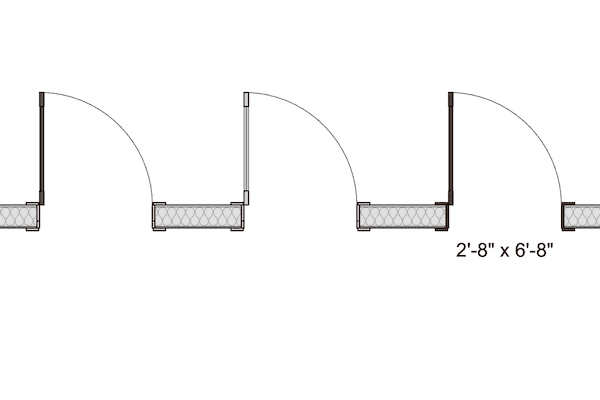
In this small update to my Shoegnome Open Template for Archicad 26, I fix a long standing graphic issue with existing door leaf display.
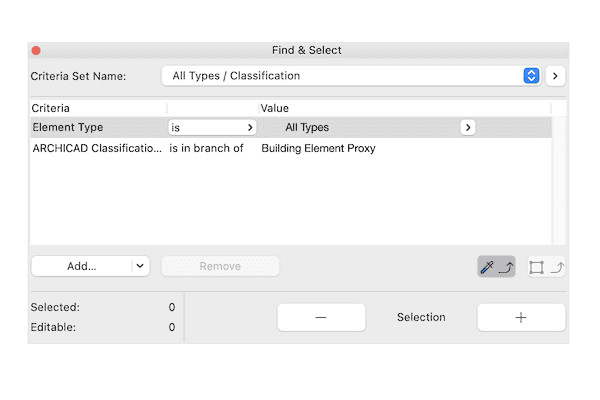
Criteria Sets for Find & Select are a powerful, underused feature in Archicad.
This video covers the basics of the Shoegnome Open Template for Archicad. From how to start using it to what it includes.
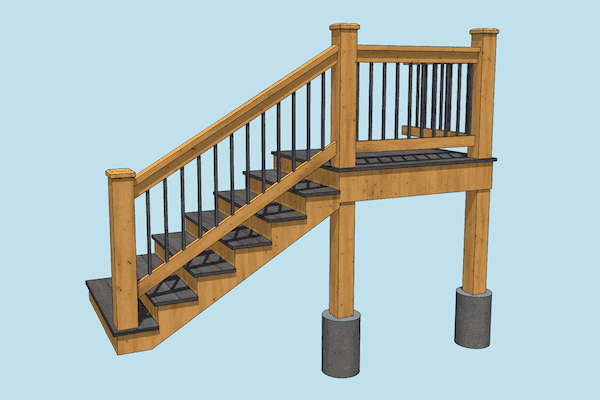
This Archicad stair is made out of five columns, three railings, and one beam. Check out the video to learn more.
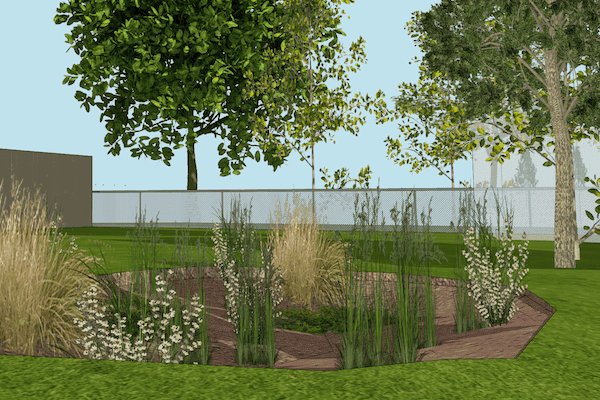
Trees in your Archicad model can really enhance the sense of place, if those tree objects don’t look like garbage.
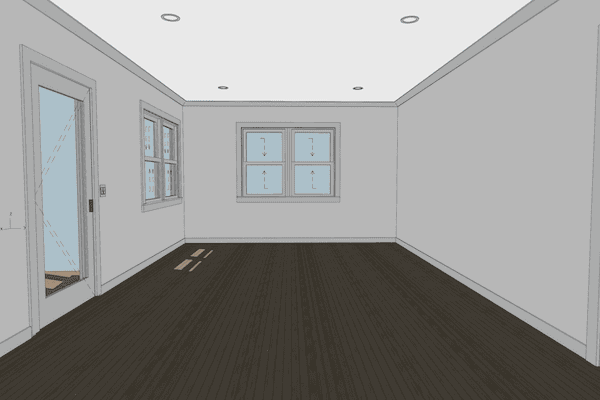
Baseboard and Crown Molding are super easy to model in Archicad. Here’s a quick video on the best method.
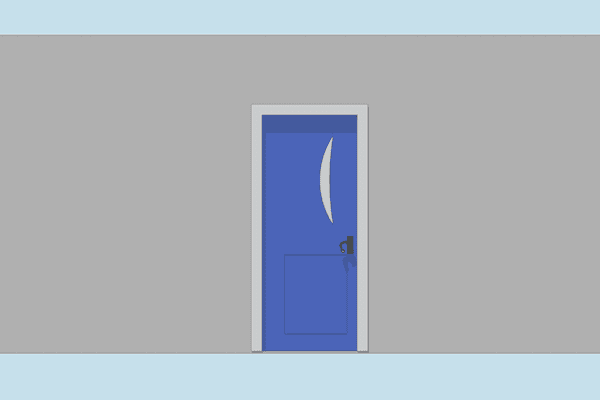
In this video I hope to improve your knowledge and usage of windows and doors in Archicad.
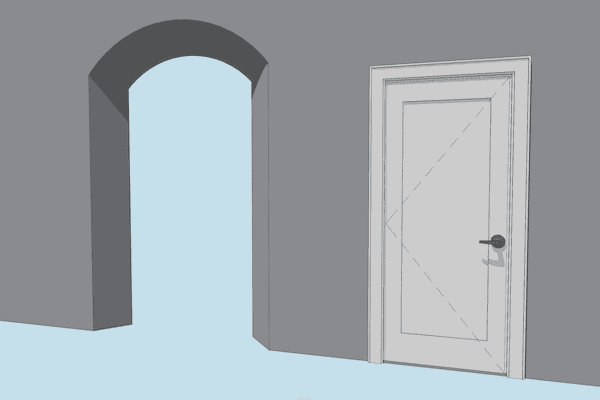
What happens when you need a complicated arched opening or trim around a door that isn’t available in the default Archicad library?
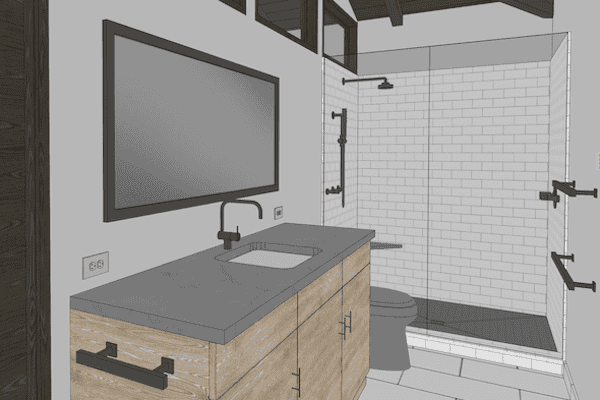
In addition to updating the Shoegnome Open Template, I’ve also recorded a video discussing various Archicad modeling tips.

Sections and Details in ARCHICAD require a combination of 2D and 3D information. This blog post talks how to handle the 2D.

In this video I discuss how to I prefer to model roof assemblies in ARCHICAD.
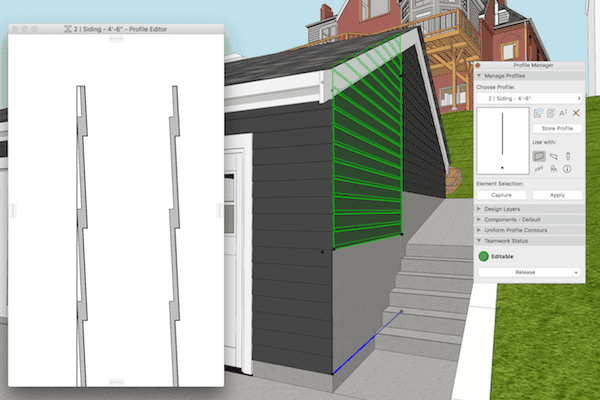
Complex Profiles need to be built correctly or they can cause a lot of problems in an ARCHICAD model. Here’s one simple technique to remember.
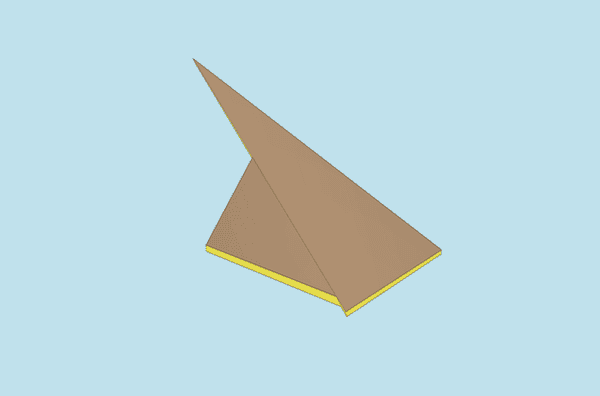
This two minute video will show you how to miter roofs in ARCHICAD. This is one of my favorite, little known techniques.

Aligning 3D textures in ARCHICAD allows us to create stunning site models with little effort.

With the latest update to ARCHICAD 20, we can now turn color and shadows on/off with Graphic Overrides in any ARCHICAD elevation.
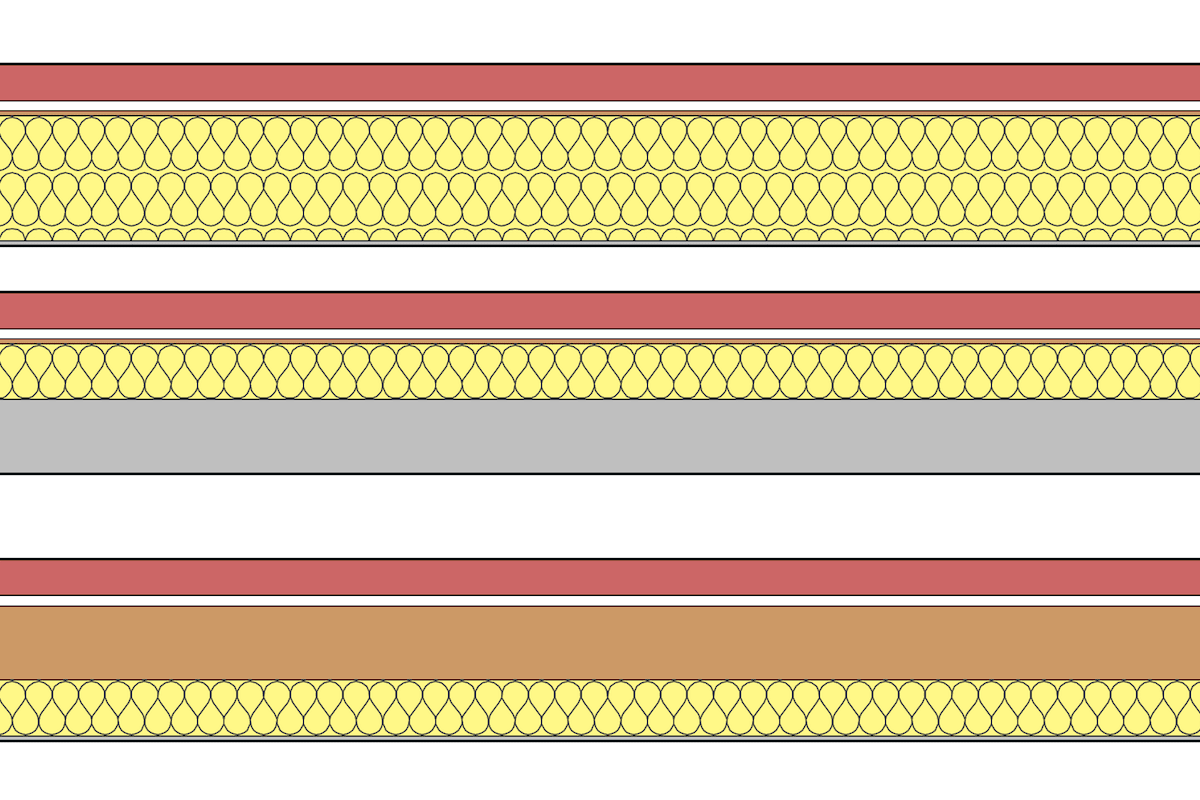
Making walls in ARCHICAD is one of the most basic functions, and one of the first things we all learn how to do. And yet…there are some hidden techniques that are worth discussion.
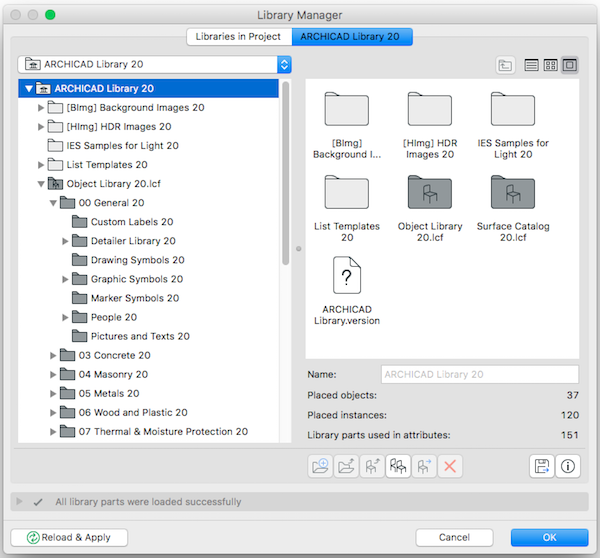
Here’s a quick tutorial on how to export an Object from one ARCHICAD file and add it to another.

Here’s a quick tutorial on how to add contours to a Mesh in ARCHICAD.

Do you know how to show Section Markers in Elevations in ARCHICAD? Here’s a video showing you the most efficient way to do it.

We need more online ARCHICAD training options. Take a moment to read about why Link Ellis and Chris Clark have created ArchiBoost.

Today I decided a blog comment would be easiest explained in video format: foundations and footings in ARCHICAD.

Getting the most out of ARCHICAD and/or BIM is about finding the balance between the automation provided by the program and manual processes that give you complete control.

Ken started using ARCHICAD in the 1990’s, and since that time has spent over 15,000 hours training individuals and groups of up to 200 throughout the UK.
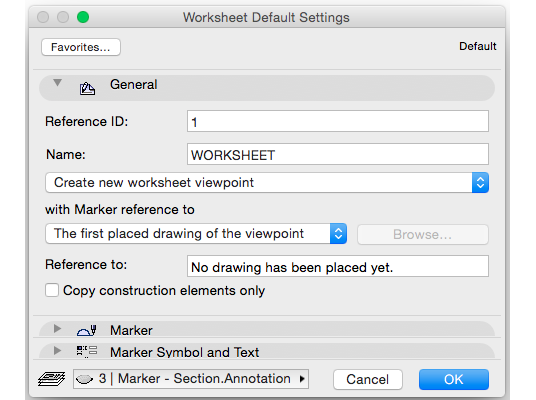
A brilliant way to get bullet proof DWG output from ARCHICAD. Your archaic DWG using consultants will be amazed and extremely happy with the results.

In addition to releasing the latest version of my Shoegnome Open Template, I’ve also recorded an ArchiCAD Rendering Tutorial video.
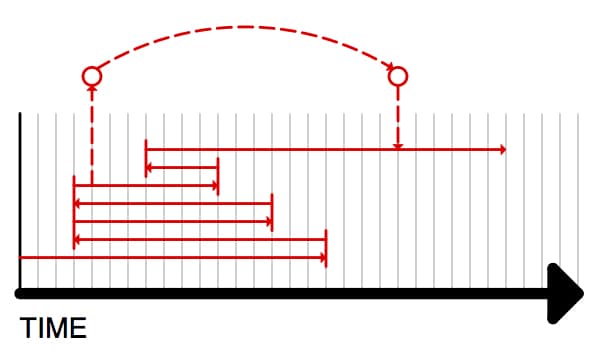
In this blog post I convince you to watch an (almost) 11 minute video on the Undo and Redo commands in ArchiCAD by talking to you about time travel.

A video discussing various aspects of creating a nice looking and functional window schedule in ArchiCAD using the Interactive Schedule.

Parameter Transfer in ArchiCAD (eyedropper and syringe) is an ultra basic concept. I really hope you already know everything I discuss in this video.

Creating custom empty openings in ArchiCAD is fairly easy. And it’s a great introduction into object making.

Someone asked me a simple question. So I recorded about 13 minutes of answers: it’s time to talk about Black and White (and red) 3D Documents in ArchiCAD.

Last week I shared 3 ArchiCAD videos. How about 9 more from one of my favorite ArchiCAD users?

Once I figured out this technique to create Complex Profile siding in ArchiCAD, my models became about 20% cooler.

My ArchiCAD videos tend to come in pairs. Here’s the follow up to yesterday’s video. In this video I focus more on the Interior Elevation Tool itself.

Do you need to create Interior Elevations in ArchiCAD? Of course you do. We all do. Are you creating them in the best possible way? Watch this video and find out. Got something to add? Share your tips in the comments.
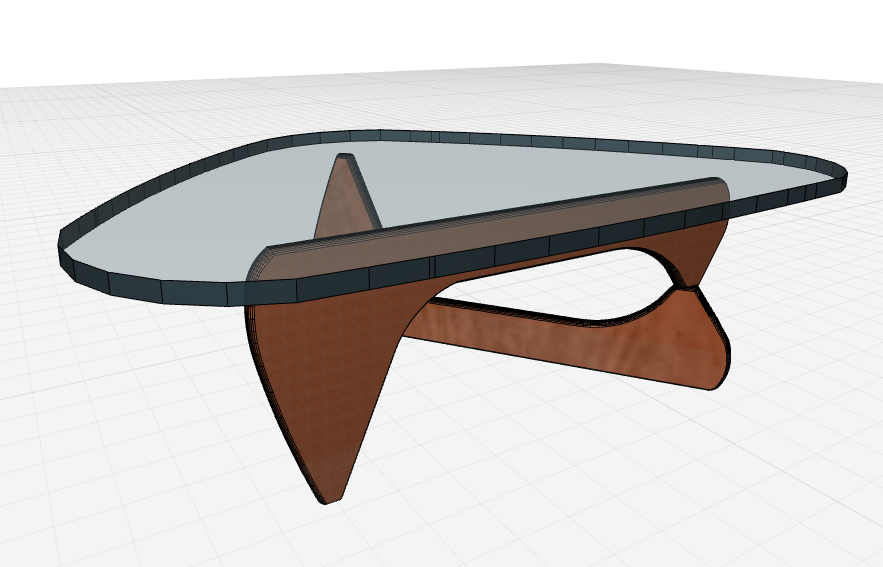
I’m always being asked how to get content from SketchUp to ArchiCAD. It couldn’t be easier. Here’s a video showing you how.

A quick lesson on pocket doors in ArchiCAD. The video will also teach you a little about composites and niches.

Here’s my second video on Building Materials in ArchiCAD 17. I pick up right where we left off in the last video.
I asked on the Shoegnome Facebook page what my next ArchiCAD tutorial video should be about. There was some interest in Pen Sets, but the overwhelming majority of people wanted more on Building Materials in ArchiCAD 17. So here’s the first of at least two videos.
“The sea is dangerous and its storms terrible, but these obstacles have never been sufficient reason to remain ashore… Unlike the mediocre, intrepid spirits seek victory over those things that seem impossible… it is with an iron will that they embark on the most daring of all endeavours… to meet the shadowy future without fear and conquer the unknown.” Ferdinand Magellan, Explorer (c.1520) Every time I think of GDL, the
I’d been meaning to record a video on the basics of making a movie from ArchiCAD for a long time. Yesterday a former colleague and friend was asking where she could find such a video to teach her how to make a quick fly-through movie in ArchiCAD… 24 hours later… here’s the video on Cameras and Camera Paths in ArchiCAD. As always, I’m sure I didn’t cover everything. If you
I expect to have dozens of people argue against that title. But I sure bet it caught your attention. The real point is that most architectural software has something to teach us about our own preferred program. The examples are endless. But today I want to focus on one program in particular: SketchUp. SketchUp models, the traditional variety of them, have this beautiful balance of realism and abstraction. They sit
I actually mean both Big Brother as in your wise male sibling who was born before you AND that all seeing eye of some over arching organization. The Organizer is pretty awesome and powerful like that. I cover a lot in this ArchiCAD tutorial video. I talk about the Navigator, the Organizer, the differences between the View Map, Project Map, Layout Book, and Publisher. I go over the basics of

The above rendering is fairly typical of what I show clients these days. It’s not the most complex image, but it’s fast and easy. And you could imagine that with a little more effort scalies, trees, etc. could be easily added. The final rendering is a combination of images from the Sketch Rendering Engine and the Internal Rendering Engine found in ArchiCAD. The images were combined in a 3rd party
Fun Fact: YouTube was officially launched in November 2005. I first learned ArchiCAD in January 2006. While writing my post on ArchiCAD heroes, I realized I was defining them very narrowly. I wanted to focus that post on those shining lights that kept me going when I was a new user, deep in despair, and feeling alone. Those giants showed me the way. But that’s only part of the story.

Don’t talk about the brontosaurus in a room full of dinosaur lovers The other day on Sesame Street they did a segment on dinosaurs. They mentioned a brontosaurus. Dinosaur Train would never mention a brontosaurus. Why? Because it’s not a real thing. It was a mistake from the late 19th century. It just happens to be super famous. If you’re looking for information, make sure you are using the right
While doing some experimentation on an ArchiCAD 15 file that I’d opened in ArchiCAD 16, I came across a weird quark with the Morph Tool. The pet palette for the Morph Tool wasn’t showing me all the options. I was bewildered and annoyed. I wasn’t sure what was going on and I just wanted ArchiCAD to work the way I knew it should. I was pissed. Fortunately I did what
The Morph Tool Allows pleasant Surprises There are a lot of great examples of what the Morph Tool in ArchiCAD 16 can do. If you want to see some crazy shapes and amazing forms, the videos in this post will disappoint you. If you want to start thinking about how to integrate the Morph Tool into your design process, then keep reading and watching. The first video shows a quick
Did you know you can make a ramp using just a slab and nothing else? Recently I’ve had opportunities to model quite a few schematic designs and imaginary buildings for the creation of renderings and walk-through movies. I love working on these types of models in ArchiCAD. A part of me would be happy to just get paid to design and model imaginary structures (take that as a hint). You
The Interactive ArchiCAD Practice Manual came from the realization that, although there are numerous books on teaching ArchiCAD users how to use the tools and navigate around projects, there is not much guidance on how to apply this software in the most efficient manner in an everyday office environment. ArchiCAD is both user friendly and customizable, giving users the freedom to work in the software in countless ways. The price
Since the release of ArchiCAD 15 I’ve enjoyed using the shell tool–more for it’s ability to be reshaped in 3D, plan, section, and elevation than its crazy form-making opportunities. BIMES has created a 4 minute video that highlights how impressive and versatile the shell tool is and I am just blown away. Enjoy. This video originally came from a blog post by BIMES that explains the origin and reasoning behind this
Tonight I recorded two videos. Making these videos reminds me of how I first learned ArchiCAD. I spent a fair amount of time sitting behind one of my coworkers, just watching him work. It was very enlightening. And as I rewatch my videos, I notice a bunch of little techniques that I take for granted, but are probably as enlightening as the main focus of the video. The first video
Over the past year and a half of blogging I’ve had many small ArchiCAD tips and tricks that I wanted to share, but could never find the proper way to write about them. The aggregate of these tricks help me to easily problem solve within ArchiCAD and produce the quality drawings I desire, but these techniques don’t readily lend themselves to a blog post of a few hundred words. They
Eric Bobrow has a lot of great free videos; he’s recently posted a bunch of new ones on his website that highlight his 7 Keys to Best Practices for ArchiCAD. But my favorite one is still his terrain modeling video. The technique he shares around minute six has come up a lot recently (not only in my own work and that of my coworkers, but also in the work of
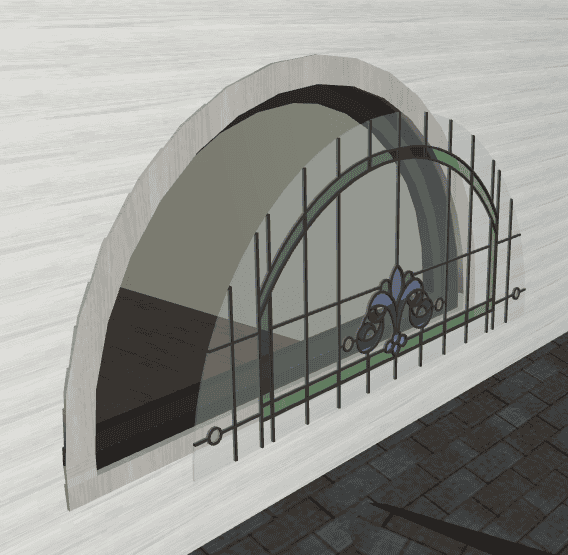
I recently had to model a Queen Anne house in ArchiCAD to produce some renderings for a client. It was a ton of fun. And I learned some cool tricks while modeling the various trim and ornamentation. I have to admit, of all the things I’ve done in ArchiCAD, this model is my favorite. Unfortunately I can’t share images of the entire house until the overall project is completed later
When I introduce my coworkers to ArchiCAD 15, I show them three new things and then say “get to work, we’ll cover the rest as it comes up”. I know that’s not the best way to learn a new version, but everyone using ArchiCAD 15 at SALA Architects happens to be on projects with tight deadlines. So they get the short, short version of my upgrade speech. Half of the
Okay that title was both lame and a stretch. But whatever. This isn’t about my attempts for humor and continuity with the previous post, it’s about Eric Bobrow and all his ArchiCAD offerings. And he wants to and will make ArchiCAD easier for you. Eric Bobrow is fast approaching his 500th licensed client using Master Template. Congratulations Eric! That’s huge. To celebrate this milestone he’s offering both discounts AND incentives.
A few weeks ago I mentioned some free webinars from Eric Bobrow. I attended on one of the sessions and it was definitely worth it. Well he’s offering that same webinar (updated and improved) again. Choose the day and time that works best for your schedule: Monday 6/27 at 6PM PST, Tuesday 6/28 at 9AM PST , Wednesday 6/29 at 6PM PST, or Thursday 6/30 at 9AM PST or 6PM
Take advantage of this golden opportunity for free ArchiCAD training, from Eric Bobrow and the ArchiCAD Best Practices Course. Sign up for one of the sessions here. Choose the day and time that works best for your schedule: Tuesday 6/07 at 6PM PST , Wednesday 6/08 at 9AM PST, Thursday 6/09 at 6PM PST, Friday 6/10 at 9AM PST, Monday 6/13 at 6PM PST, Tuesday 6/14 at 9AM PST, or
Last week I tweeted (@https://shoegnome.com/wp-content/uploads/2025/03/1d-2d-3d-intersection.webp) and posted on facebook (www.facebook.com/https://shoegnome.com/wp-content/uploads/2025/03/1d-2d-3d-intersection.webp) a link to an old post I did. Here it is. It was a short post about two things. There were some great tips from the ArchiCAD Forum. Real little gems that have increased my effectiveness in ArchiCAD tremendously. I can’t believe I lived without these tricks for so many years. Go back to the old post, follow the links,
If you use ArchiCAD and have the internet, you probably know about Eric Bobrow’s Best Practices Course. I talked a bit about it in this earlier blog post. Since that post, I’ve heard a lot of good things about the course and Eric has also posted more free videos. Registration has opened up and will stay open until the 9th of March. Looks like a great course and a very
Many of you have probably heard of Eric Bobrow. He’s the guy behind ArchiCAD Master Template. Eric was a major Graphisoft reseller for 21 years and is now focused on improving our ArchiCAD skills. Eric has put together a new online training course on the most effective methods for working in ArchiCAD. In a recent article, AECBytes Tips and Tricks #56, he goes over his 7 Keys to Best Practices
There are some other very interesting things going on in the ArchiCAD blogosphere. Graphisoft has a growing list of blogs devoted to ArchiCAD here. Don’t want to sift through all that? Here’s three to look at first: http://www.thebimr.com/ This blog focuses on the experiences of someone in Amsterdam who is migrating his firm from AutoCAD to ArchiCAD. This should be an interesting blog to watch in the coming months. http://www.archicadmonkey.com/